文章更新
- 20170218-初次成文
为什么会有这篇文章
从微信里导出的文件都是UTC的时间戳,觉得归类不方便,就写了个控制台程序来修改下文件名,方便归档
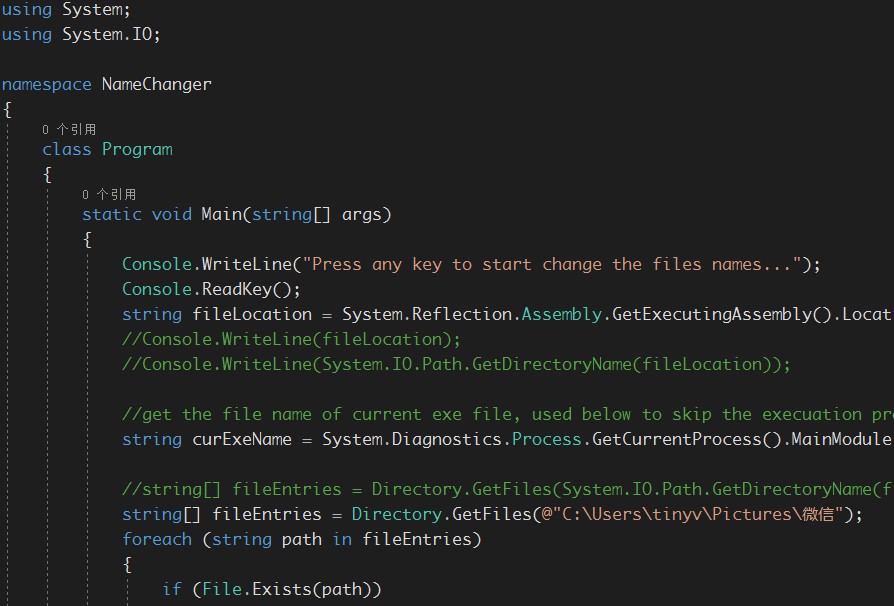
using System;
using System.IO;

namespace NameChanger
{
    class Program
    {
        static void Main(string[] args)
        {
            Console.WriteLine("Press any key to start change the files names...");
            Console.ReadKey();
            string fileLocation = System.Reflection.Assembly.GetExecutingAssembly().Location.ToString();
            //Console.WriteLine(fileLocation);
            //Console.WriteLine(System.IO.Path.GetDirectoryName(fileLocation));

            //get the file name of current exe file, used below to skip the execuation process of exe it self.
            string curExeName = System.Diagnostics.Process.GetCurrentProcess().MainModule.FileName;

            //string[] fileEntries = Directory.GetFiles(System.IO.Path.GetDirectoryName(fileLocation));
            string[] fileEntries = Directory.GetFiles(@"C:\Users\Pictures\微信"); //your wechat pic or video files location
            foreach (string path in fileEntries)
            {
                if (File.Exists(path))
                {
                    if (path != curExeName) //skip exe itself
                    // This path is a file
                    ProcessFile(path);
                }
                else if (Directory.Exists(path))
                {
                    // This path is a directory
                    ProcessDirectory(path);
                }
                else
                {
                    Console.WriteLine("{0} is not a valid file or directory.", path);
                }
            }
            Console.ReadKey();

        }

        // Process all files in the directory passed in, recurse on any directories
        // that are found, and process the files they contain.
        public static void ProcessDirectory(string targetDirectory)
        {
            // Process the list of files found in the directory.
            string[] fileEntries = Directory.GetFiles(targetDirectory);
            foreach (string fileName in fileEntries)
                ProcessFile(fileName);

            // Recurse into subdirectories of this directory.
            string[] subdirectoryEntries = Directory.GetDirectories(targetDirectory);
            foreach (string subdirectory in subdirectoryEntries)
                ProcessDirectory(subdirectory);
        }

        // Insert logic for processing found files here.
        public static void ProcessFile(string path)
        {
            string fileExt = Path.GetExtension(path);
            if (fileExt == ".mp4" || fileExt == ".jpg")
            {
                string fileName = Path.GetFileName(path);
                if (fileName.StartsWith("microMsg."))
                {
                    string[] words = Path.GetFileName(path).Split('.');
                    double unixTimeStamp = Convert.ToDouble(words[1].Substring(0,10));
                    DateTime localDateTime = UnixTimeStampToDateTime(unixTimeStamp);
                    Console.WriteLine("Processed file '{0}', {1}", path, LocalDateTimeToNiceForm(localDateTime));
                    string fileNameNew = LocalDateTimeToNiceForm(localDateTime) + "-" + Convert.ToString(unixTimeStamp) + fileExt;
                    string destFile = System.IO.Path.Combine(System.IO.Path.GetDirectoryName(path), fileNameNew);
                    System.IO.File.Copy(path, destFile, true);
                }
                else if (fileName.StartsWith("mmexport"))
                {
                    string[] words = Path.GetFileName(path).Split('.');
                    string word = words[0].Substring(8, 13);
                    double unixTimeStamp = Convert.ToDouble(word.Substring(0, 10));
                    DateTime localDateTime = UnixTimeStampToDateTime(unixTimeStamp);
                    Console.WriteLine("Processed file '{0}', {1}", path, LocalDateTimeToNiceForm(localDateTime));
                    string fileNameNew = LocalDateTimeToNiceForm(localDateTime) + "-" + Convert.ToString(unixTimeStamp) + fileExt;
                    string destFile = System.IO.Path.Combine(System.IO.Path.GetDirectoryName(path), fileNameNew);
                    System.IO.File.Copy(path, destFile, true);
                }
                else if (fileName.StartsWith("wx_camera_"))
                {
                    string[] words = Path.GetFileName(path).Split('.');
                    string word = words[0].Substring(10, 13);
                    double unixTimeStamp = Convert.ToDouble(word.Substring(0, 10));
                    DateTime localDateTime = UnixTimeStampToDateTime(unixTimeStamp);
                    Console.WriteLine("Processed file '{0}', {1}", path, LocalDateTimeToNiceForm(localDateTime));
                    string fileNameNew = LocalDateTimeToNiceForm(localDateTime) + "-" + Convert.ToString(unixTimeStamp) + fileExt;
                    string destFile = System.IO.Path.Combine(System.IO.Path.GetDirectoryName(path), fileNameNew);
                    System.IO.File.Copy(path, destFile, true);
                }
                else
                {
                    Console.WriteLine("Processed file '{0}', not a pic or video", path);
                }

            }
        }

        public static DateTime UnixTimeStampToDateTime(double unixTimeStamp)
        {
            // Unix timestamp is seconds past epoch
            System.DateTime dtDateTime = new DateTime(1970, 1, 1, 0, 0, 0, 0, System.DateTimeKind.Utc);
            dtDateTime = dtDateTime.AddSeconds(unixTimeStamp).ToLocalTime();
            return dtDateTime;
        }

        public static string LocalDateTimeToNiceForm(DateTime localDateTime)
        {
            return localDateTime.ToString("yyyyMMdd");
        }
    }
}
先这么招吧。微信里的小视频好像定期会被清空,还是得抓紧时间弄另外一个小工具了。
放个图片
参考文章
- 全靠百度